TrendForce Predicts Flash Memory Supply Shortage Will End in Late 2027
July 21, 2026
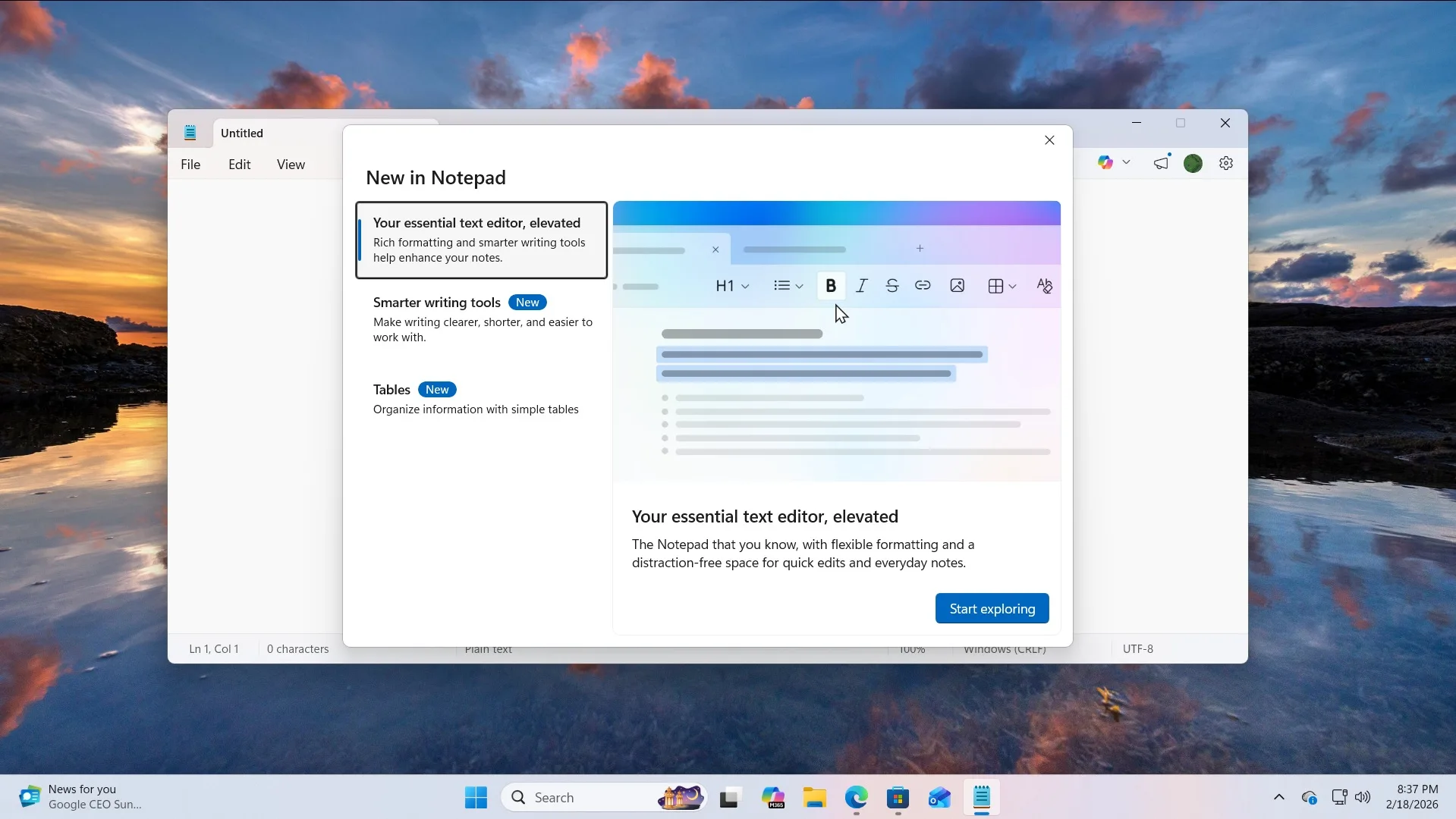
Microsoft is broadening the feature set of Notepad in Windows 11 by introducing support for images within the classic text editor. This update marks a significant step in evolving Notepad beyond its traditional role as a plain text tool, blending some functionality typically found in more advanced editors like WordPad.
According to reports from Windows-focused news sources familiar with the development, the new image support feature will be included alongside the recent text formatting enhancements added to Notepad. This means users can now insert and view images directly within the application, enriching the content they can work with without switching to different programs.
While incorporating images into a utility historically limited to text might signal increased resource demands, sources emphasize that this change is designed to have minimal impact on performance. Microsoft has reportedly optimized the integration carefully to ensure the editor remains lightweight and responsive.
Moreover, the company plans to provide users with control over this new capability. The image support feature can be toggled on or off via Notepad’s settings, allowing individuals the flexibility to maintain a simpler experience or take advantage of the richer editing environment as preferred.
This development follows a trend of Microsoft updating its suite of Windows applications to meet evolving user expectations, especially under the Windows 11 umbrella where modernized user interfaces and boosted functionality are key priorities.
By enabling image handling, Notepad is gradually narrowing the functionality gap with WordPad, which has traditionally supported more varied content formats. This update may attract users who want a straightforward editor with occasional need to include images, eliminating the step of switching to different applications.
Details regarding the update’s rollout timeline or distribution method have not been disclosed. Pricing information is not applicable, as Notepad remains a built-in Windows utility. Microsoft’s focus appears directed at enhancing the native toolkit accessible to Windows 11 users without additional cost or complexity.
Looking ahead, this incremental expansion of Notepad’s features might pave the way for further enhancements in basic editing tools integrated directly into Windows, reflecting a continued effort to balance simplicity, performance, and functionality.
Microsoft is enhancing Notepad on Windows 11 with image support, marking a shift toward richer content beyond plain text.