US Considers Restrictions on Chinese Open-Weight AI Models Including Kimi K3
July 21, 2026
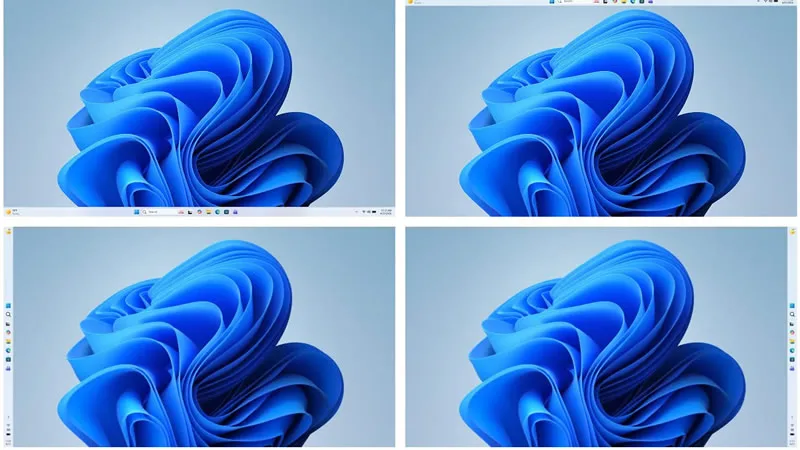
Microsoft is preparing to reintroduce the ability to move the taskbar in Windows 11, restoring functionality that many users missed since the operating system’s initial release. This update responds to long-standing user requests for more customization options reminiscent of Windows 10.
The capability to reposition the taskbar, a feature popularized in Windows 10, was initially removed in Windows 11, leading to user criticism and numerous requests for its return. Pavan Davuluri, head of the Windows division at Microsoft, has confirmed that the company is actively working on bringing back this functionality as part of a larger overhaul to the user interface.
This move reflects Microsoft’s attention to user feedback, especially around the usability and personalization of the desktop environment. Allowing users to move the taskbar aligns Windows 11 more closely with previous versions, offering greater control over workspace layout.
While specific details about when this feature will be fully available were not disclosed, it is expected to come with a significant update to Windows 11’s interface. This change will provide users with the freedom to position the taskbar on different areas of the screen, enhancing their everyday navigation experience.
Since its release, Windows 11 has undergone several updates that introduced new features and improvements but retained certain limitations compared to Windows 10. Reintroducing the movable taskbar marks an important step in refining the operating system based on community input.
The restoration of this feature is anticipated to be welcomed by users who prefer more flexible desktop configurations, improving both productivity and comfort. Microsoft’s development team continues to balance innovation with user preferences as it evolves Windows 11.
Microsoft will restore the ability to move the Windows 11 taskbar, a popular feature missing since launch, as part of a major interface update.